
Features
Everything Nisabi does, and what it leaves to you.
Nisabi organises your wealth, estimates Zakat from the methodology you choose, remembers your lunar anniversary and keeps a record of what you pay. It never collects or moves money.
Getting started
A short onboarding
Your experience, country, preferred currency, where your assets are, where Zakat may be distributed, methodology, Nisab standard, and whether you already know your Zakat anniversary.
Where you are starting from
A first calculation, a yearly routine, unsure whether Zakat is due, or reviewing unpaid Zakat from previous years.
Your methodology, never assigned
Hanafi, Shafi'i, Maliki, Hanbali, Ja'fari, a trusted scholar or institution, or Undecided, where every disagreement between schools is flagged.
Gold or silver Nisab
Gold at 87.48 g or silver at 612.36 g. The silver standard is lower, so more people meet it.
A disclaimer you acknowledge
Before the assessment starts, you read and accept a short religious and financial disclaimer.
Your display
Light, dark, or match the system. Hijri or Gregorian dates.
Assessment
Two ways in
Add assets one by one, or answer a fixed guided interview on your device. Answers become a draft. Nothing is sent to an assistant.
A currency for every amount
AUD, PKR, AED, USD, GBP, SAR, INR, EUR, CAD, NZD, MYR, IDR, BDT, EGP, TRY, QAR, KWD, BHD, OMR, JOD, SGD, ZAR, NGN, KES, MAD, CHF, SEK, NOK, JPY and CNY, among others.
Twelve asset types
Cash and bank (including other currencies), gold, silver, shares and investments, retirement accounts, crypto, business wealth, property and land, money owed to you, agricultural produce, livestock, and other.
Gold and silver in detail
Jewellery, coins or bars; personal use or savings; weight in grams, tola or troy ounces with purity, or a current value.
Property by intention
Primary home, second home, kept for family, rented (rent still held is recorded separately), for resale, capital appreciation, vacant land, commercial premises, or uncertain.
Ownership
Fully mine, shared (enter your percentage), disputed, or held for someone else.
Debts
Credit card, personal loan, mortgage or home financing, vehicle financing, business loan, invoice, overdue bill, property development charge, or other. Enter the total outstanding and how much is due now.
Agriculture and livestock
Recorded and flagged. They are not forced through the 2.5% cash formula.
Not sure is an answer
Mark any item as not sure. Unclear answers are flagged instead of being guessed.
Review before saving
Check the draft before anything is saved. An assessment can be for today or a previous date.
A complete assessment
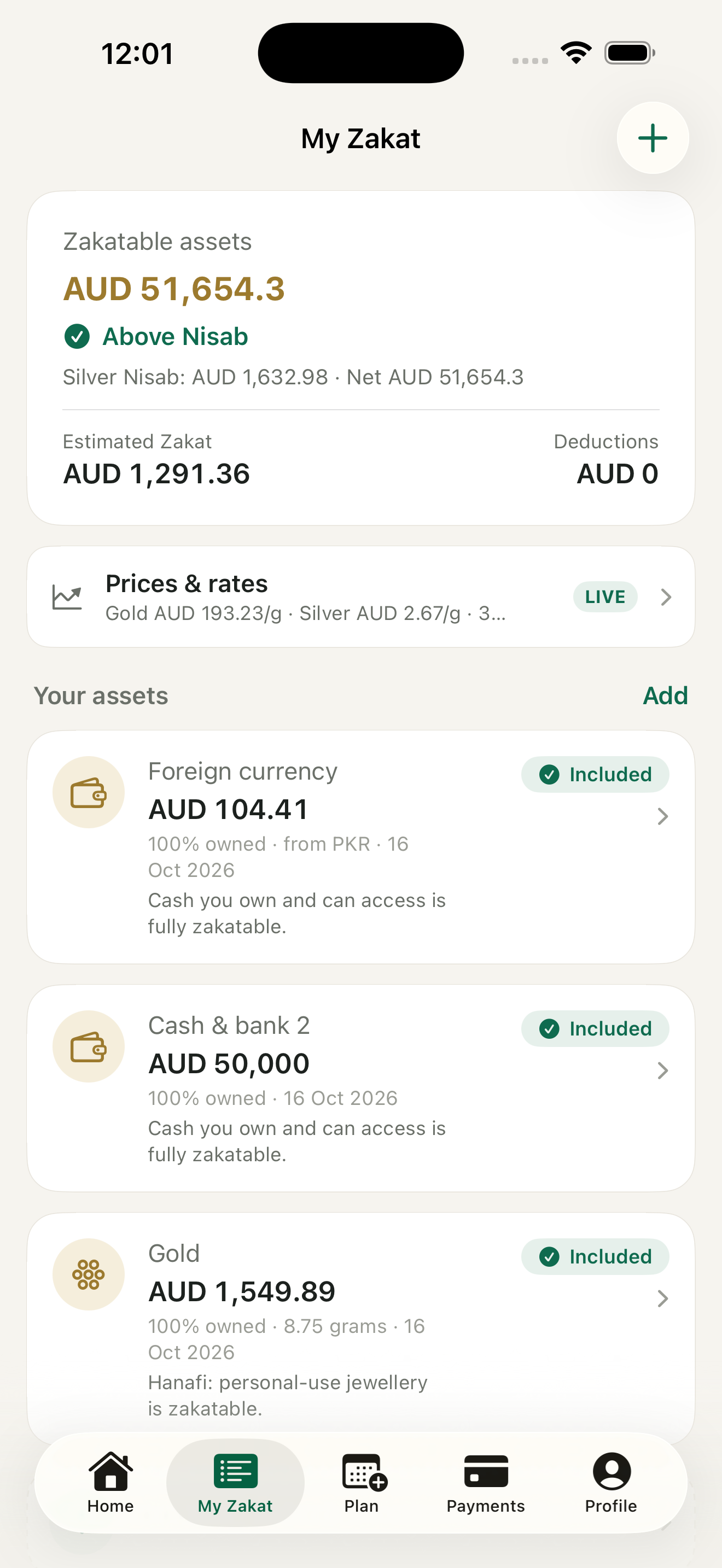
Date, methodology, ruleset version, Nisab threshold, zakatable and excluded assets, items under review, deductions, net zakatable wealth, and estimated Zakat at 2.5% where that rate applies.
Live prices you can override
Gold and silver spot prices from gold-api.com, exchange rates from open.er-api.com. These requests contain no personal or financial data, and you can replace any price or rate.
Anniversary and reminders
Your hawl, not a guess
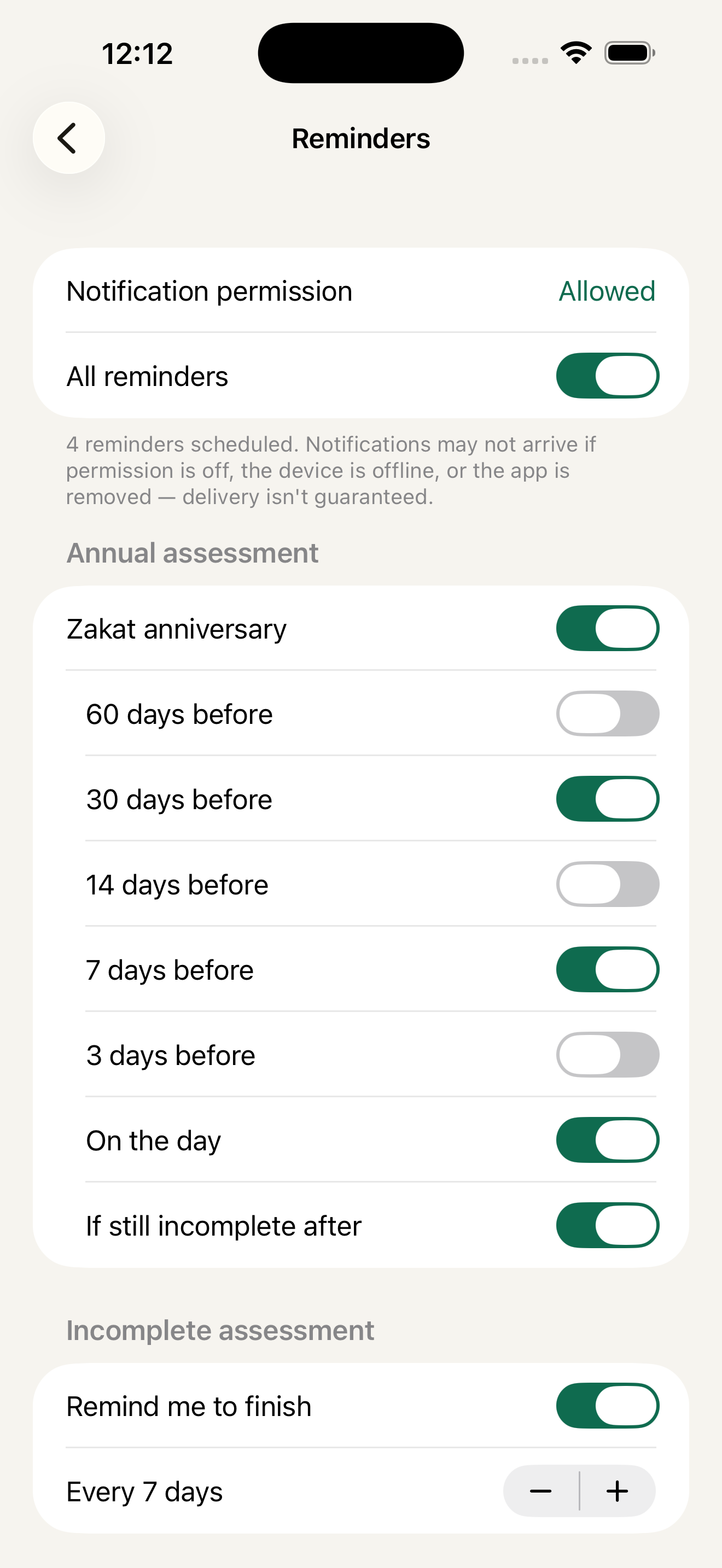
The Zakat anniversary is one lunar year after your wealth first reached Nisab. The app does not invent that date.
Anniversary reminders
60, 30, 14, 7 or 3 days before, on the day, and again afterwards if your Zakat is still incomplete.
Payment reminders
7, 3 or 1 day before, on the day, and for overdue payments.
More, if you want them
A nudge to finish an unfinished assessment, an optional quarterly review, and custom reminders.
Quiet hours
No notifications from 10pm to 7am by default. Choose your preferred reminder time.
Local and optional
Reminders are local notifications on your device. Turn any of them off at any time.
Payments, without moving money
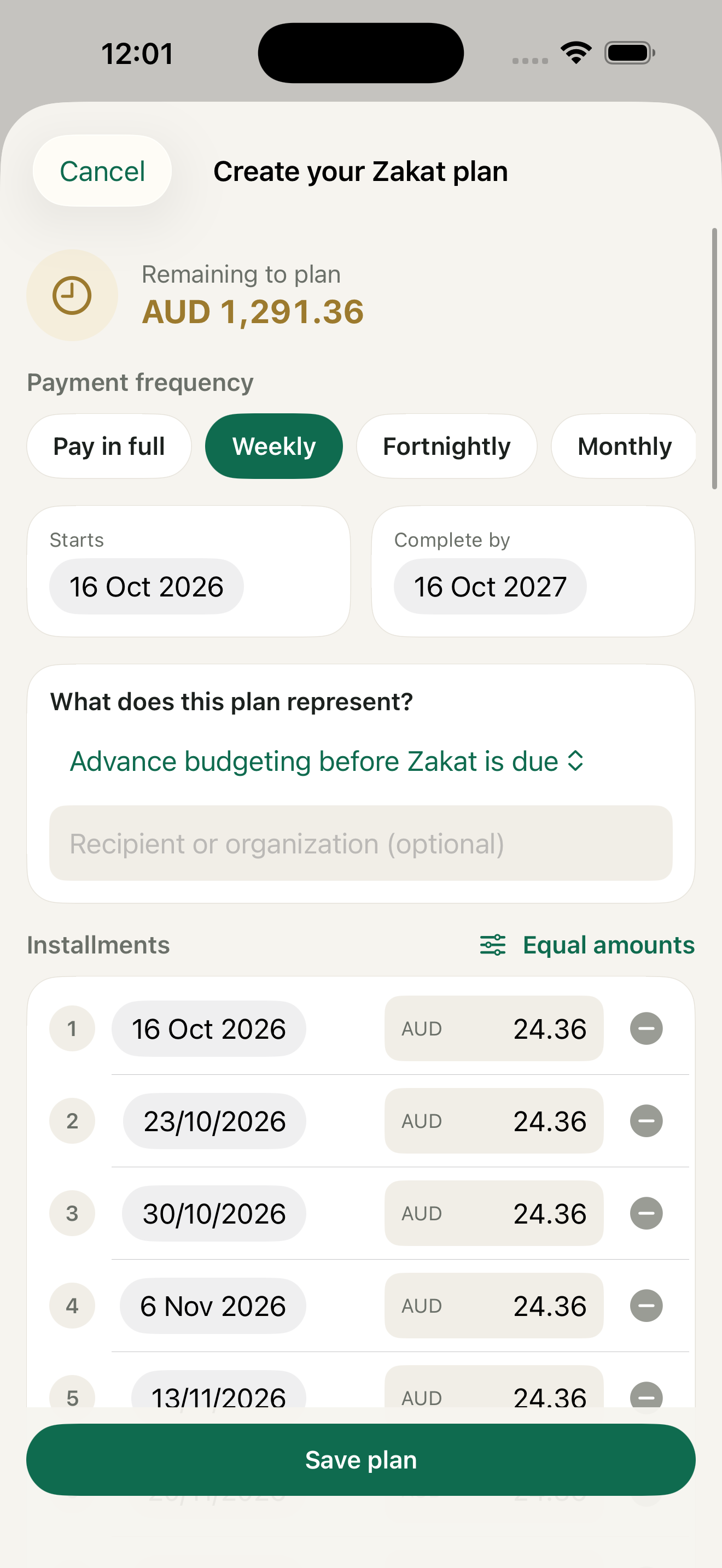
A plan that fits
Pay in full, weekly, fortnightly, monthly, every 2 months, quarterly, or on custom dates.
A purpose, recorded
Advance budgeting, scheduling distributions, or being unable to pay the full amount now. A schedule is a planning tool. It does not rule that delaying or splitting Zakat is permitted.
Record what you paid
Amount, currency, date, recipient, category, method, reference, and an optional receipt photo.
Any method
Bank transfer, cash, card, online provider, charity website, direct distribution, or other. The card itself is never stored.
Recipients from At-Tawbah 9:60
The poor, the needy, Zakat administrators, those whose hearts are to be reconciled, freeing captives, those in debt, in the cause of Allah, the stranded traveller, a Zakat organisation distributing on your behalf, or not sure.
Clear progress
Paid so far, remaining, overdue, and any amount paid beyond this obligation. Extra is not carried to another year automatically.
Change your mind
Pause, cancel or reschedule an instalment. Reverse a recorded payment with a reason.
On your home screen
Once an assessment is confirmed, Home shows your next payment and your progress.
Records
Assessment history
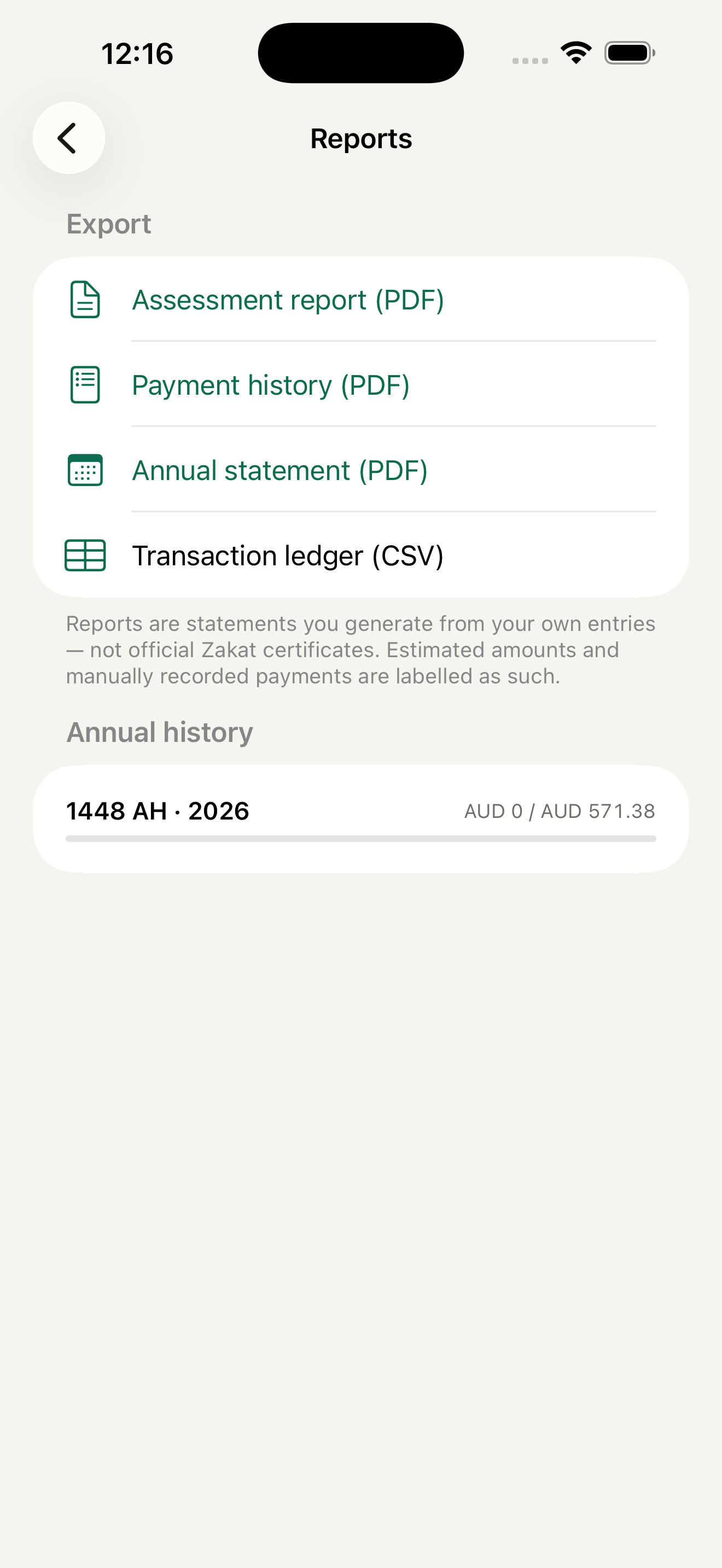
Every confirmed assessment, year by year.
PDF and CSV
A PDF of a confirmed assessment and a CSV of your payment ledger, shared from the device. The PDF is an estimate, not an official certificate.
Backup
Export a backup of your data file whenever you like.
Delete everything
Remove all data on the device. If you are signed in, the saved account copy is deleted too.
Start fresh
Redo onboarding at any time.
Account
No account needed
Nisabi works fully without one. Data stays in the app's private storage, protected while the device is locked.
Optional sign-in
Sign in with Apple or Google. The app shows your signed-in name.
One encrypted copy
Nothing is uploaded before you sign in. Synced data is encrypted in transit and while it is stored.
Sign out and restore
Signing out clears the device and returns to the welcome screen. Sign in on a new device to restore your data.