
How it works
From your first question to a clear record.
Six steps, at your own pace. You can stop at any point, and nothing is saved until you have reviewed it.
-
1
Tell Nisabi about you
A short onboarding asks about your experience, country and currency, where your assets are and where Zakat may be distributed. You choose your methodology and Nisab standard. Nisabi never assigns one.
Before the assessment starts, you acknowledge a religious and financial disclaimer.
Methodology
Hanafi Shafi'i Maliki Hanbali Ja'fari A trusted scholar or institution UndecidedNisab standard
Gold, 87.48 g Silver, 612.36 g -
2
Add what you own and owe
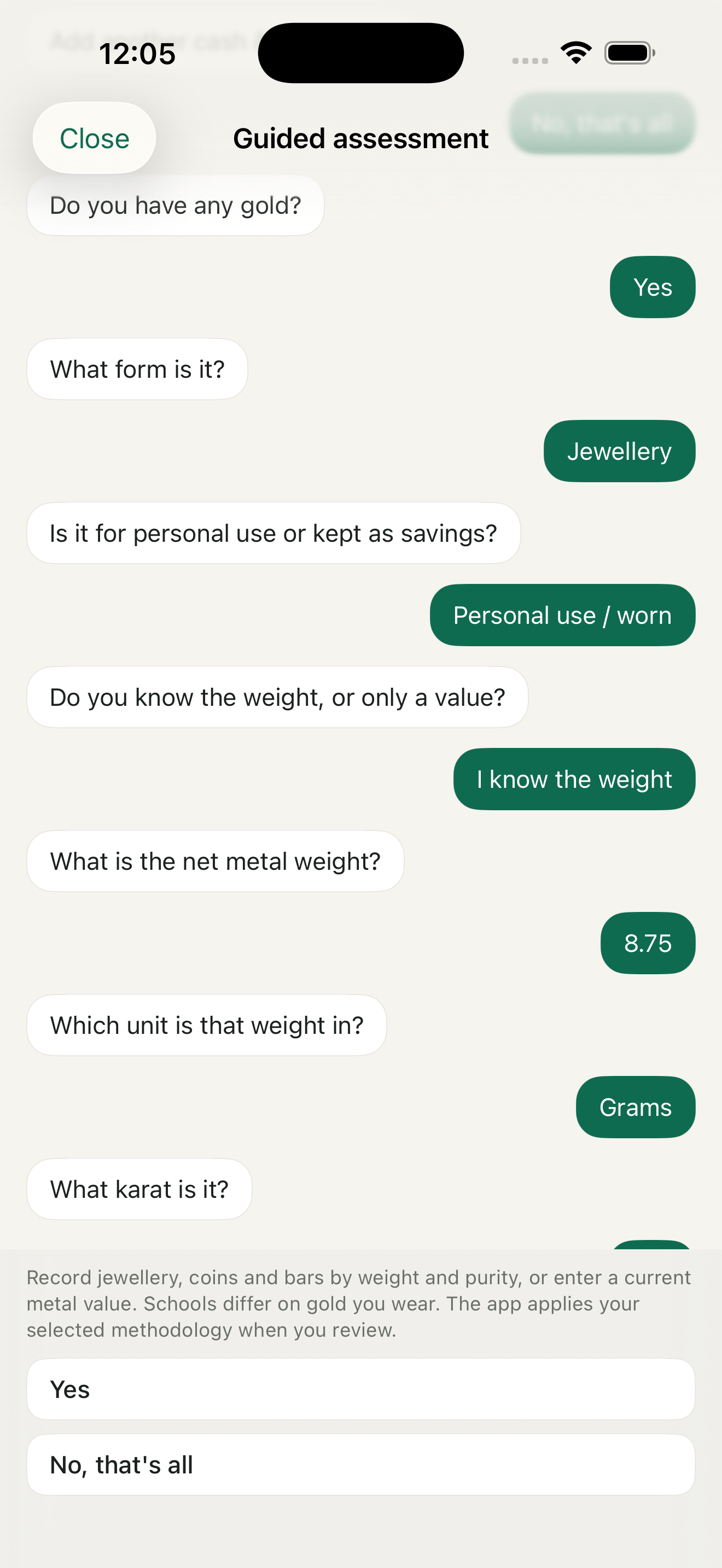
Add assets one by one, or answer the guided questions. The interview is fixed and runs on your device, so nothing is sent to an assistant. Each amount takes its own currency.
If you are unsure about something, say so. Nisabi flags it rather than guessing.
-
3
Review the draft, then confirm
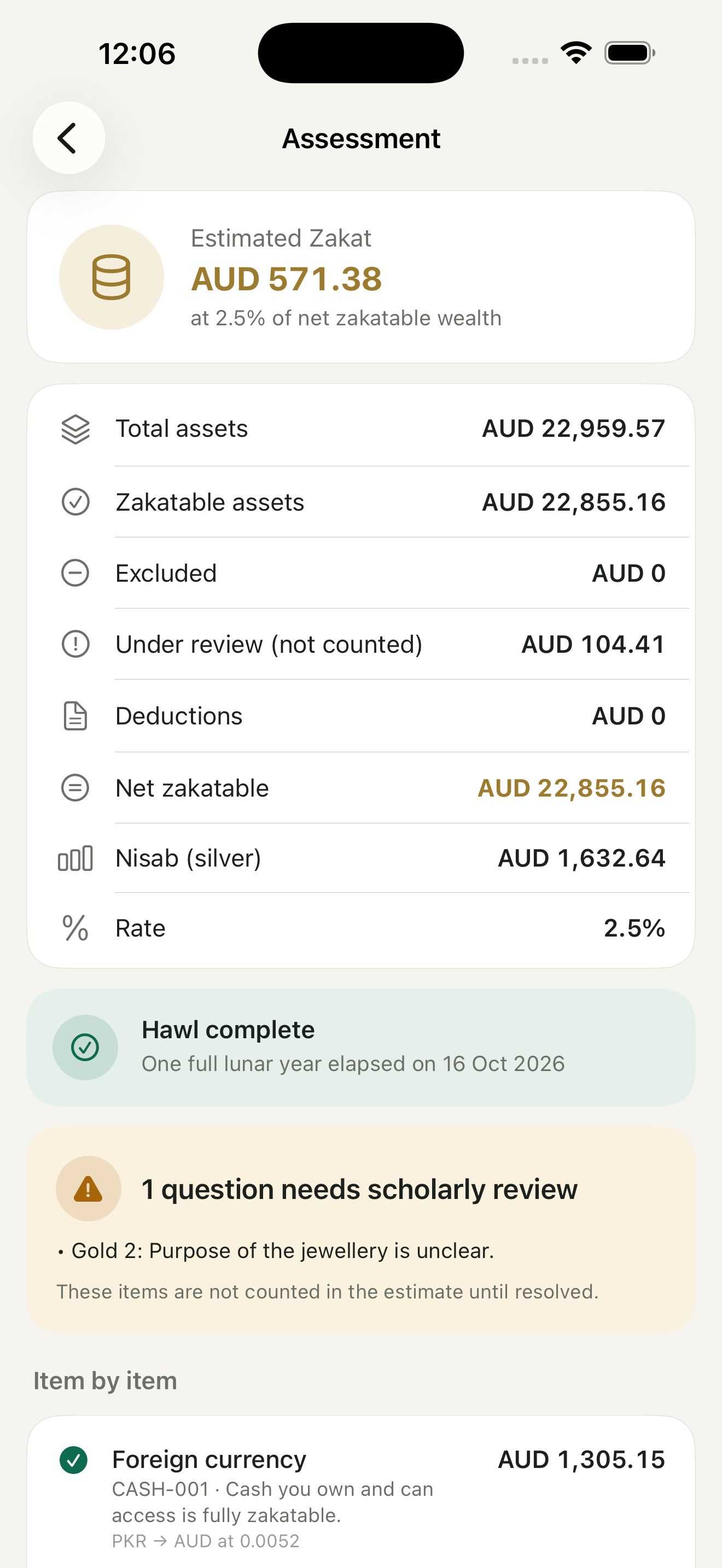
See what counts, what is exempt and what needs review, item by item, with the reason for each. Confirming creates an assessment with its date, methodology, ruleset version and Nisab threshold.
Where the 2.5% rate applies, you see the estimated Zakat in gold. Items under review are not counted until you resolve them.
-
4
Set your anniversary and reminders
Your Zakat anniversary is one lunar year after your wealth first reached Nisab. Add the date if you know it. Nisabi will not invent one.
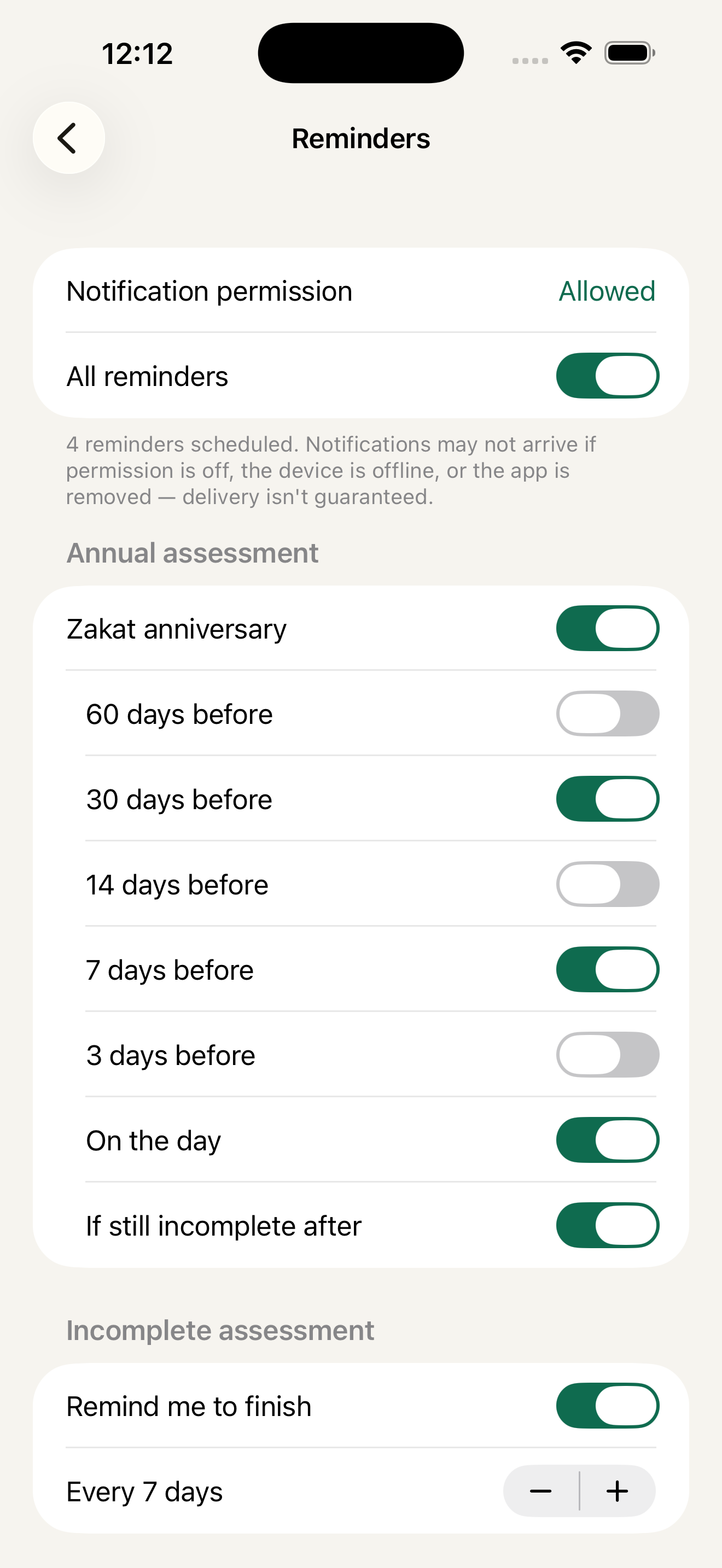
Choose which local reminders you want, when they arrive, and the quiet hours they respect.
-
5
Plan and record payments
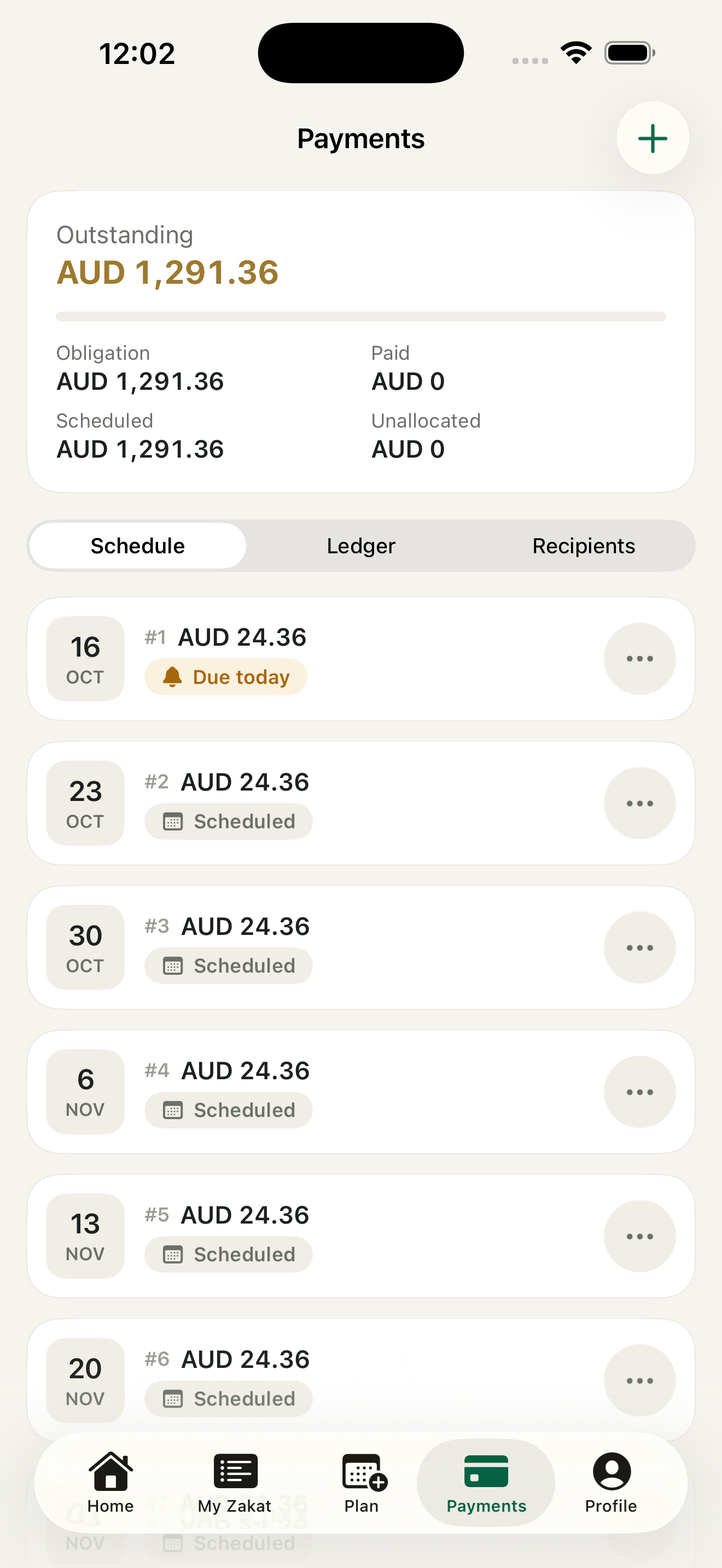
Pay in full or spread it across a schedule. Then record each payment you make outside the app, with its recipient category from At-Tawbah 9:60 and an optional receipt photo.
A schedule helps you plan. It is not a ruling that delaying or splitting Zakat is permitted.
-
6
Keep your records
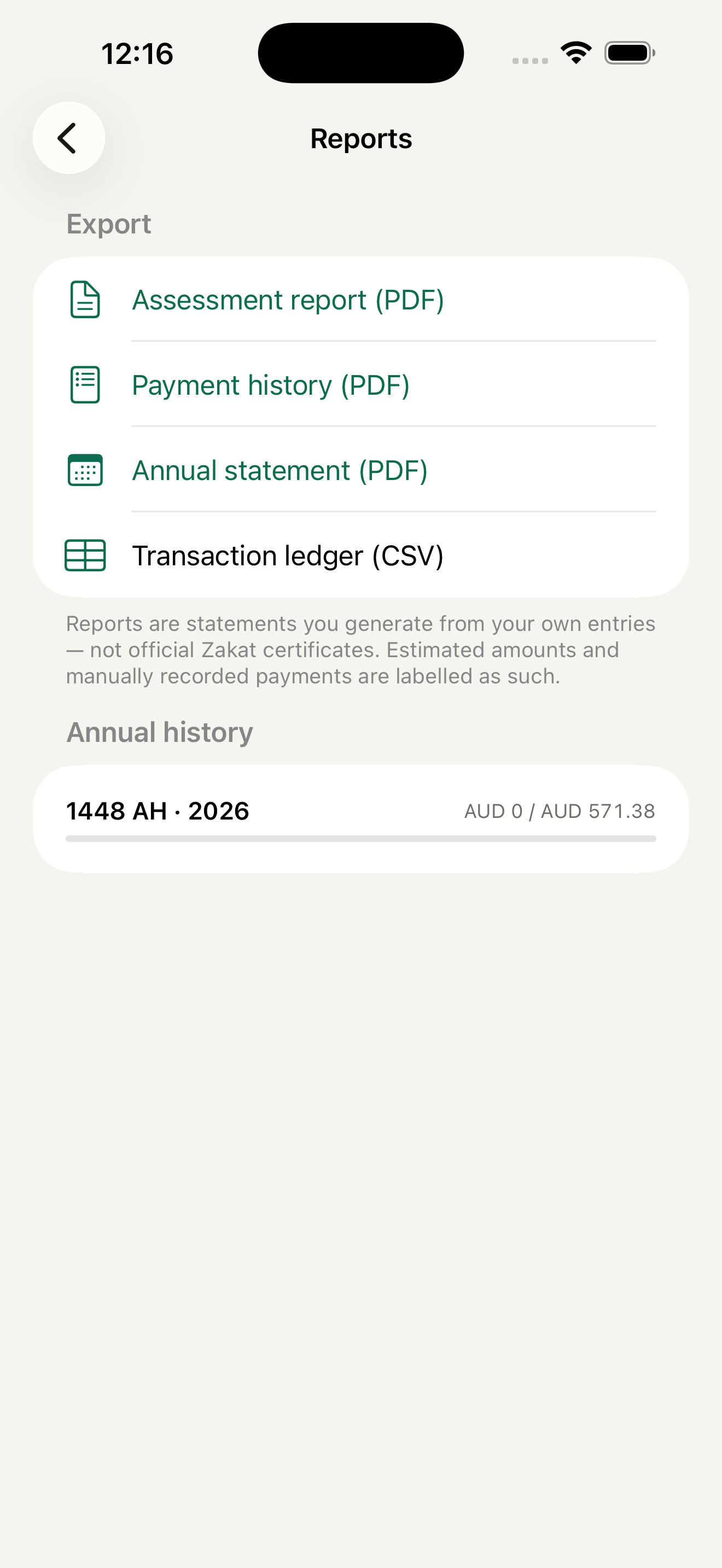
Look back through your assessment history. Share a PDF of a confirmed assessment or a CSV of your payment ledger from the device, and export a backup whenever you like.
Reports are statements you generate from your own entries, not official Zakat certificates.
When to ask a scholar
For complex assets, disputed rulings, unclear ownership, historical unpaid Zakat or a large obligation, ask a qualified scholar. Nisabi helps you organise the question.